Send Emails via SMTP
In addition to sending emails via API, Hyvor Relay also supports sending emails using the SMTP protocol.
SMTP vs API
Pros of using SMTP:
- Easier integration with existing systems.
- Wide compatibility with various programming languages.
- Easier to switch email service providers in the future.
Cons of using SMTP:
- Potentially slower performance.
- More complex error handling and reporting.
- Idempotency is not supported.
Setting Up SMTP
First, make sure to set up a project and generate an API key with the sends.send scope enabled.
Then, use the following SMTP configuration:
- SMTP Server:
mx.mail.hyvor-relay.com - Port:
587(recommended) or25 - Username:
relay(any username will work) - Password: Your API Key
- Encryption:
TLSrecommended if supported by your SMTP client
Below we have provided some internal details on how Hyvor Relay's SMTP integration works.
How It Works
Hyvor Relay's SMTP server, which listens on port 587 (or port 25), simply acts as an interface that converts your email to an API request and forwards it to the Hyvor Relay email sending API.
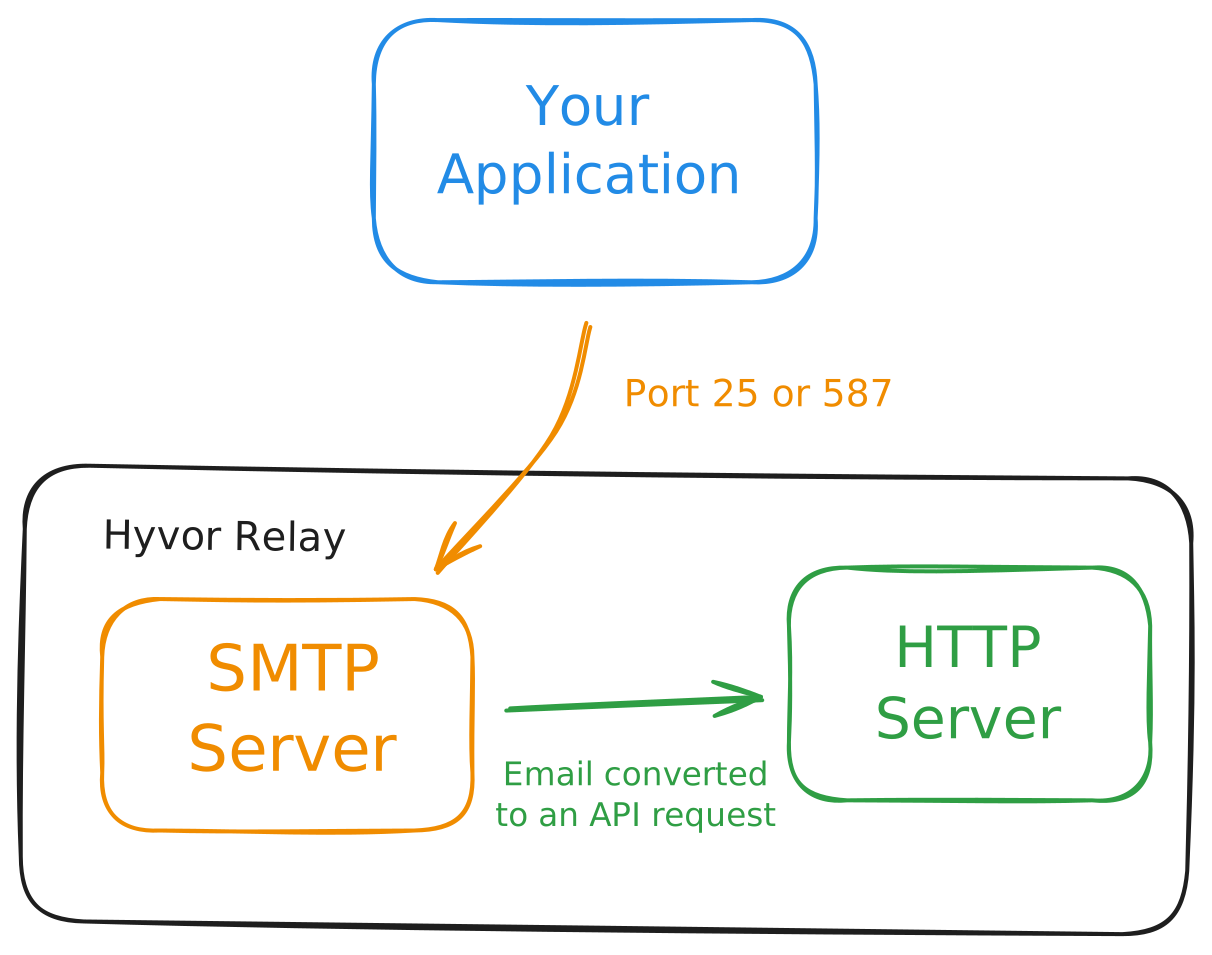
In other words, when you send an email via SMTP, you are still ultimately using the API indirectly.
MIME to API Mapping
The SMTP server parses the incoming MIME email and maps its components to the corresponding API request fields as follows:
From header (top-level)fromTo, Cc, Bcc headers (top-level)to, cc, bccSubject header (top-level)subjecttext/plain parttexttext/html parthtmlheadersContent-Disposition: attachment headerattachments